Auto Arm Positions v1.0.0.0
Description:
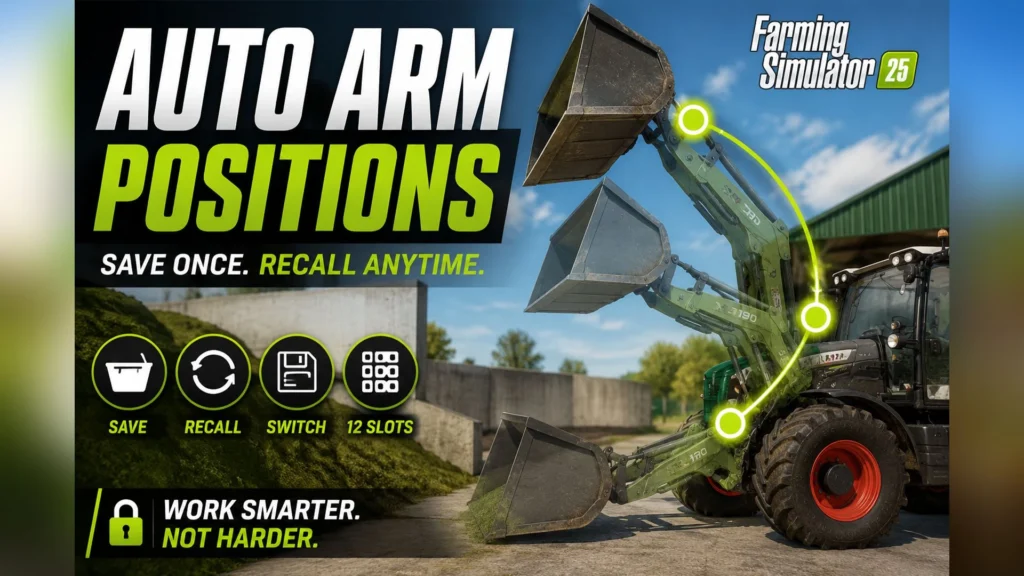
Auto Arm Positions
**Save your loader positions once — and recall them whenever you need them. No more fiddling with lift, tilt, and telescoping.**
—
## 💡 What does this mod do?
Imagine you’re driving silage into your silo. Each time:
– Bucket down → scoop up material
– Bucket up → drive to the trailer
– Bucket tilted → tipping
– Bucket down again
Constantly repeating the same movements, constantly adjusting three axes. **With this mod, you save each position once — and recall it at the touch of a button.** Your loader automatically moves into the desired position. Lifting arm, bucket tilt, and even telescopic extension — all at once.
Works for:
– 🪣 **Shovels** (silage, manure, bulk materials)
– 🪜 **Pallet forks**
– 🌾 **Bale spikes**
– 🏗️ **Forklifts**
With **4 modes** and **12 slots per mode** you have up to **48 positions per vehicle**.
—
## ⌨️ Key assignment
| Key | What it does |
|——-|—————|
| **O** | Switch mode (shovel → pallet forks → bales → forklift → shovel…) |
| **Alt + O** | Save current position in active mode |
| **Numpad 7** | Move to next saved position |
| **Numpad 8** | Move to previous saved position |
💡 **Note:** Num Lock must be enabled for Num Lock keys. If the keys don’t respond or conflict with other mods, simply reassign them in the game menu under **Options → Input**.
—
## 📋 Step-by-step: First use
### Example: Loading silage into the trailer with the front loader
**1. Select Mode**
– Get on the loader (or the tractor with the front loader attached)
– Press **O** until the HUD displays: *”Mode: Bucket”*
**2. Saving Positions**
– Move the shovel to **Loading Position** (at the bottom of the material, slightly tilted)
→ **Alt + O** → *”Shovel – Slot 1 saved”*
– Move the shovel to **Transport Position** (high, slightly tilted back)
→ **Alt + O** → *”Shovel – Slot 2 saved”*
– Move the shovel to **Dump Position** (over a trailer, tilted forward)
→ **Alt + O** → *”Shovel – Slot 3 saved”*
– Move the shovel to **Reverse Position** (medium height, empty)
→ **Alt + O** → *”Shovel – Slot 4 saved”*
**3. Use during operation**
– Arrived at the material → **Numpad 7** → Bucket moves to loading position
– Material picked up → **Numpad 7** → Bucket automatically lifts
– Over trailer → **Numpad 7** → Bucket automatically tilts
– Returning to the material → **Numpad 7** → Bucket in reverse position
– At the material again → **Numpad 7** → Returns to first position
Four keystrokes per cycle instead of constant mast pushing!
—
## 🎯 Tips for optimal use
### Separate Slots for Each Vehicle
Each vehicle stores its own **slots**. Your front loader tractor and your wheel loader have independent positions. For front loader attachments, the slots are linked to the **loader itself** — you can attach it to a different tractor, and your positions will be retained.
### The correct mode for each attachment
When switching between bucket and pallet forks:
– Press **O** until the appropriate mode is active
– Slots of the respective mode remain saved separately
– Switching back with **O** restores the old slots
### Empty slots are skipped.
You don’t have to fill all 12 slots. If you only fill slots 1–4, **Numpad 7** will jump back to slot 1 after slot 4 — slots 5–12 will be skipped.
### Overwrite Slot
**Alt + O** saves to the next slot in the sequence (1 → 2 → 3 → … → 12 → 1). When all 12 slots are full, slot 1 is overwritten.
### Caution in enclosed spaces:
When starting up, **all axes move simultaneously**. If your “High Drop” slot was saved in a hall and you are standing in a low barn, collisions with the ceiling may occur. No problem in open areas.
—
## 🚜 Supported Vehicles
| Vehicle Type | Status |
|————-|——–|
| Front loaders on tractors (Bressel & Lade XB190 etc.) | ✅ Works |
| Wheel loaders (Volvo L120H, JCB etc.) | ✅ Works |
| Telescopic handlers (Sennebogen G340, JCB Loadall etc.) | ✅ Works (incl. telescopic extension) |
| Forklifts (Jungheinrich EFG etc.) | ✅ Works |
| Manure fork, high-tip bucket, grapple attachments | ✅ Works |
Basically, the mod supports any vehicle that has hydraulic controls in the game.
—
## 💾 Save to Savegame
All saved positions are **automatically** saved in the game. They will be restored when you start the game. This applies to each vehicle separately. You don’t need to manually export or save anything.
—
## 🌐 Multiplayer
✅ **Multiplayer compatible** — the mod can be used on MP servers.
– Slots belong to the vehicle, not the player.
– If you save slots and another player takes over the loader, they can use the same slots.
– When saving on a multiplayer server, the slots are stored in the server’s save file.
⚠️ **Multiplayer Beta Notice:** Saving slots by client players has not been extensively tested. If you encounter any problems, please let us know.
—
## 🔧 Installation
1. **Do not extract the ZIP file**
2. Copy it to the FS25 mod folder:`C:\Users\
3. Start the game → load a save game or create a new profile
4. Activate the mod in the mod menu
5. Get on a loader — let’s go!
—
## 🤔 FAQ
**What happens if I accidentally save to the wrong slot?**
Press **Alt + O** repeatedly — the next save operation will go to the next slot. After 12 repetitions, slot 1 will be available again and can be overwritten. Alternatively, you can move the loader to the desired position for that slot and press **Alt + O** at the right time.
**Are the claw positions of grippers also saved?**
Yes. For gripper tools with an additional claw axis, the claw state is also saved. So, if you save slot 1 with “claw open” and slot 2 with “claw closed,” these states will also be restored when the gripper is moved.
**Does this also work if I want to open/close a grabber while the movement is running?**
Yes, but it will jerk because the mod is trying to move the claw to the saved value at the same time, and you’re working against it. Let the auto-movement finish first.
**Can I change the keys?**
Yes, in the game menu under **Options → Input** you can reassign each key.
**What if the mod doesn’t do anything on a particular vehicle?**
The vehicle probably doesn’t use the standard hydraulic system (cylindered) or doesn’t have any controllable tools. This can happen with very old or exotic mod vehicles.
Credits:
Bio Farmer Many
DOWNLOAD FS25_AutoArmPositions.zip – 10 KB