Add Store Categories v1.0.0.2
Description:
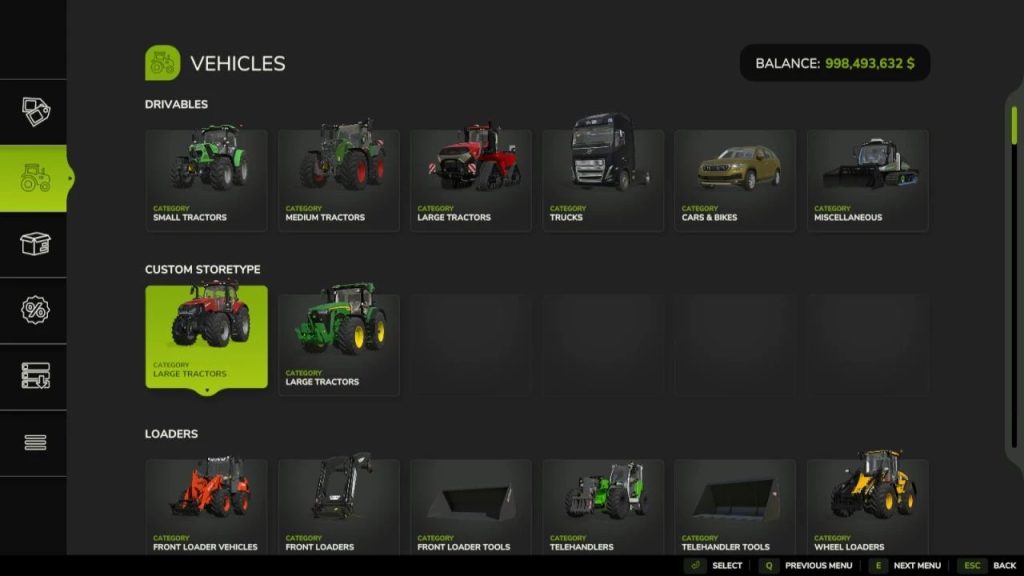
Script that allows you to add custom categories to vehicle and construction stores. Script is built into your mod and you set the name and icon for your category by yourself.
V1.0.0.2
– Now you can use custom title and custom icon on constructionType from mod directory;
– Fixed bug when same constructionType and constructionsCategory added by different mods;
Instructions for Adding Your Category in moddesk.xml
Open the moddesk.xml file:
Use a text editor (such as Notepad++ or Visual Studio Code) to open the moddesk.xml file located in your mod’s folder.
Adding the
Ensure that your file contains the
Adding the
You need to add the
Adding a new category in
Inside the
Replace YOUR_CATEGORY_TYPE with the category type (e.g., DRIVABLES, TRAILERS, etc.), YOUR_STORECATEGORY_NAME with a unique name for your category, Your Title with the name that will be displayed in the game, and path/to/image.png with the path to the image for your category.
Example:
Adding a new category in
Inside the
Replace YOUR_CONSTRUCTION_TYPE with the category type (e.g., buildings, production, etc.), YOUR_CONSTRUCTIONCATEGORY_NAME with a unique name for your construction category, and Your Title with the name that will be displayed in the game.
Example:
Save the changes:
After making all the changes, save the moddesk.xml file.
Testing in the game:
Launch the game and check if your new category appears in the store and construction menu.
Ensure that all items are displayed correctly and function without errors.
Debugging (if necessary):
If your category does not appear, check the console for errors. Make sure that all category and item names are spelled correctly and do not contain typos.
Conclusion
Now you know how to add your category in moddesk.xml for Farming Simulator 25. If you have any further questions or issues, feel free to ask for help!
Credits:
Average Enjoyer
DOWNLOAD addStoreCategories.zip – 9 KB